
A product on some brand page turns when dragged. Most viewers cannot tell whether it is a strip of photos played in sequence or a real three dimensional model. The two routes look similar at first glance but differ a lot in cost and upkeep. This piece puts both side by side, for buyers comparing quotes for 3D product showcase production.
What each route actually is
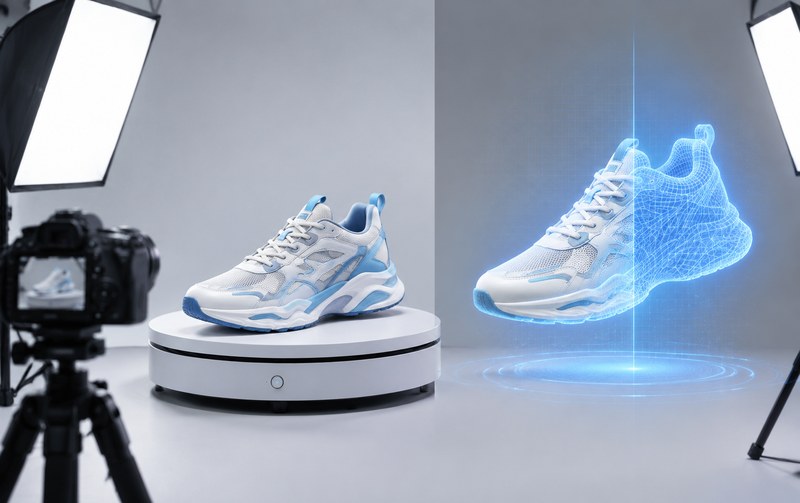
The photo route, often called a 360 spin, places the product on a turntable and shoots one frame every few degrees, 36 to 72 per circle. The front end plays those frames back. Dragging switches between pictures. There is no geometry at all, just images in a row.
The real time 3D route builds the product as a polygon model, compresses it into a format such as GLB and renders it in the browser with WebGL. Every frame is computed as the user drags, so angles are continuous and zoom is free. The full pipeline from modeling to launch was covered in an earlier article (the six step production process), so it is not repeated here.
Item by item
Faithfulness: photos win. A photograph is the object itself, textures, scratches and label positions included. A model approximates reality through textures and lighting, and reaching eight or nine points out of ten takes real effort.
Interaction depth: real time wins. Spins only rotate. A model can explode into parts, switch colors and materials, carry hotspots with parameters and go further into a configurator where buyers pick options and watch the price follow. That layer is the core of a 3D product configurator, and a photo strip cannot carry it (3D configurator custom service).
File weight and loading: it depends. Seventy two large photos can outweigh a compressed model, while a Draco compressed model often lands at a few megabytes. Yet spins show the first frame fast, and models need the core file before interaction starts. Both sides have mature fixes, so this rarely decides the choice.
Change cost: the widest gap. A new color or a new accessory means a full reshoot for photos. For a model it is a material parameter, half a day at most. Companies whose products iterate fast should weigh this item heavily.
Fit: small standardized goods whose looks sell, bags, accessories, consumer items, do fine with spins. Complex structures with internal parts and assembly logic, machinery and devices, almost require real time 3D.
How to choose
Tight budget, stable products, a turning effect is all you need: start with a 360 spin, delivery in a week or two. Complex product lines, buyers who need self service configuration, or a configurator on the roadmap: go real time and skip the rework. When unsure, browse the case gallery and compare finished pieces from both routes (case gallery). Seeing real work says more than any parameter table.
Related Q&A
How many photos does a 360 spin need?
Thirty six frames at ten degree steps is the norm, seventy two for extra smoothness. More frames mean larger files, and 36 already serves most web showcases.
Can a real time 3D model look exactly like the real product?
Close, rarely identical. Regular projects reach about eight points of likeness, and hard surfaces such as brushed metal or leather grain depend on texture and lighting skill.
Which route suits a catalog with many small volume products?
Shoot fees pile up quickly when styles are many and volumes are small. In that case, model the main products in real time 3D first, since one model can be reused on detail pages, exhibition screens and mini programs.