
When the budget lands on the table, the first question is usually one word, worth it. 3D product display work is not cheap, a decent interactive model takes weeks from modeling to launch, money goes out before results show up. This piece skips the how, since the product 3D display workflow covers that, and focuses on judgment, which products gain from 3D and which are fine with photos.
Structure hidden inside the shell
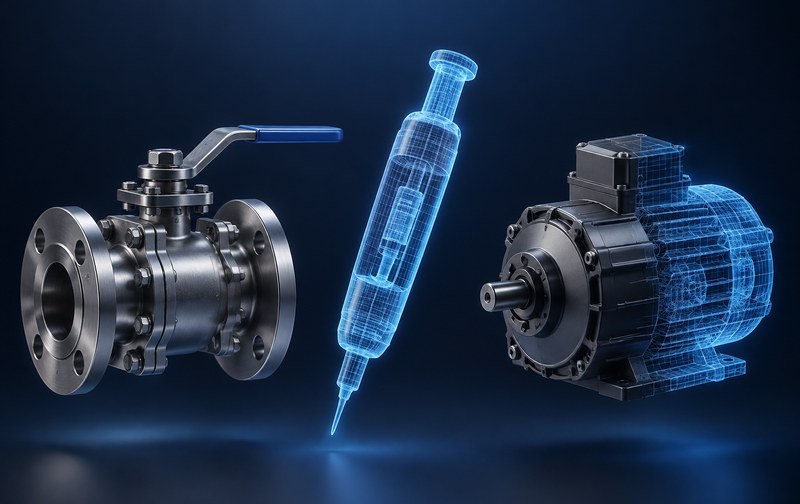
Valves, pumps, interventional devices, custom machines share one trait, what buyers care about stays invisible. The shell wraps the flow channels, the wiring, the gearing, and drawings confuse most overseas buyers. 3D interaction with cross sections and explode views puts the invisible parts on the table, and sales conversations start from higher ground. The test is simple, if your sales team often books video calls just to explain what sits inside the housing, you are in this group.
Many variants and configurations
A series with dozens of models, colors, sizes and options combined, photography can never keep up, and even if it does the page turns into a mess. These products fit a configurator approach, one base model plus variant management, buyers click options and the matching model and parameters switch along. Past twenty variants the marginal cost of 3D drops below reshooting photos, which is why many factories switch after running the numbers. The full framework sits on the 3D configurator service page.
Buyers who need to handle it before they commit
Large equipment, custom lines and high ticket products come with long decision cycles, and buyers see the same photos everywhere. Hand an overseas buyer a model they can drag, open and inspect, instead of nine photos, and the trust gap is obvious. For this group, 3D does the first round of product demonstration on behalf of your sales team. On the case page, several projects ended with first inquiry emails asking about internal structures directly.
The reverse, products that only need photos
Simple looking products, single specifications, buyers deciding mainly on price, 3D adds little here. Standard parts, packaging consumables, generic fittings, buyers care about the parameter table and the lead time, one set of sharp photos plus a clean table converts as well as 3D does. Save that budget for the three groups above and the math works out better.
Two accounts beyond the sorting
The update account first. Products that iterate fast change their shells every few months, and models follow, so ask how revision work is billed before signing. The buyer account second. Buyers overseas with high costs to see samples gain the most from a web 3D display, buyers in the same city who can visit anytime feel far less urgency. Run both accounts and the answer usually shows up on its own.
Related Q&A
What budget does one 3D product display need
It depends on polygon budgets and interaction depth, a basic rotate and zoom version and a version with explode, cross section and configurator links differ by several times. Accurate numbers need the product structure and CAD data first, quoting by model number alone is usually off.
Our products iterate fast, will the model be wasted
The base model is an asset, revisions usually touch shell parts and variants while the internal structure gets reused. Put revision scenarios into the contract before signing and later costs stay predictable.
How different is the experience on phones
With solid lightweighting, rotate and zoom run just as smoothly on phones, with a trimmed interaction list. Many buyers open links on mobile data at trade shows, so the phone experience deserves priority.