
Last month the owner of a packaging machinery company sent me a link: "We spent 28,000 RMB on a 3D showcase — take a look." I opened it: a model sitting in the middle of the screen. I dragged it around once, twice, and that was it. A "Contact us" button in the bottom corner, all alone.
I closed the tab after two spins.
In short, that is the current state of most 3D product interaction — it spins, and that is all. The owner thinks it looks cool; customers find it useless. Money spent, inquiries unchanged.
Where is the problem? On the surface, the model is not polished enough, or loading is slow. No — think again: the real issue is the depth of interaction. Rotating a model is just the entry ticket to a 3D interactive display; selling it as the highlight is like selling a door as the whole house.
Over the years building 3D product presentations for factories, I have come to see interaction in four levels. Check where your own 3D page stands.
Level 1: Spinnable
360-degree rotation, wheel zoom, drag inertia. By 2026, an open-source library gets you this in half a day. It is the passing grade, not the highlight, and buyers expect it as a default. If the 3D display you paid for offers nothing beyond this level, frankly, the premium part of that invoice bought you nothing.
Level 2: Explorable
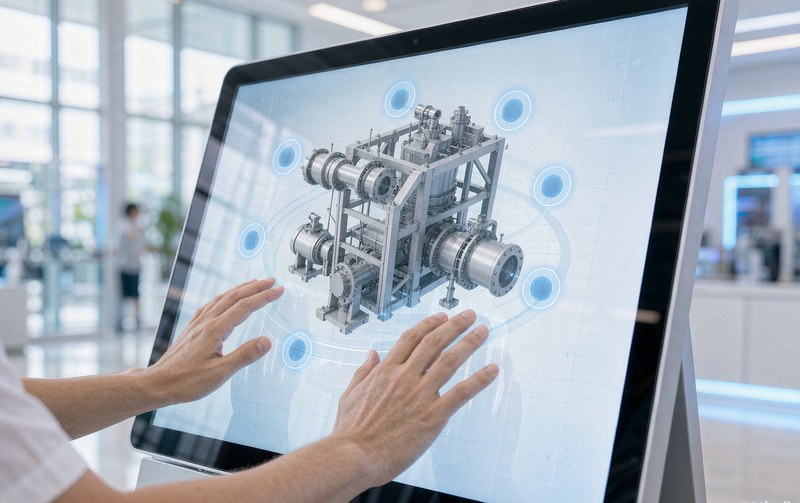
Hotspots grow on the model. Click one and a small note pops up: what process this part uses, what that module does. Simple as it sounds, it takes care. Too many hotspots turn the model into a paginated brochure; each one should sit where buyers actually have questions.
We built exactly this for an automatic vision measuring machine: the tri-axial drive, the anodized workstage, the points every purchaser asks about, all hanging off the model as hotspots. Sales later noticed that incoming inquiries asked about those very points. The verbal explaining they used to repeat ended up living inside the model (see the case: 3D interactive demo for a vision measuring machine).
Level 3: Playable
Change colors, swap materials, open the housing, switch usage scenarios. At this level fingers get busy and time on page stretches. For consumer products the payoff is biggest: swap a frame color on a pair of glasses, change the fabric on a sofa, and buyers will fiddle for minutes. Fiddling is interest.
Level 4: Askable
The first three levels are about looking; the fourth is about converting. A buyer has picked the color, checked the size, and now you want him to scroll to the footer for a phone number? The interaction breaks at the last step and everything before it is wasted. This is what our 3D product configurator does differently: the finished configuration travels with the inquiry, so sales receives not "someone asked" but "this person wants this configuration, at roughly this budget".
Loading, where many stumble
No matter how good the model is, a spinner that runs past three seconds sends buyers to the next supplier. GLB with Draco compression is the baseline, a low-poly placeholder on first paint is the other half. We covered the technical side in a separate piece on going from GLB files to product pages.
So back to that 28,000 RMB 3D showcase from the beginning. It is not bad. It just stops at level one.
Tonight, open your own 3D page pretending to be a first-time buyer: beyond spinning it, what else can your finger reach? If it cannot reach level three, why would a customer stay one more minute?