
A B2B website redesign can leave the pages looking new and the organic traffic cut in half within a quarter. Rankings rarely drop because the design got worse. The usual causes are three: old addresses returning 404 with nothing catching the request, titles and descriptions rewritten in bulk, and internal links broken along with the navigation. Work through the six steps below and the loss stays small.
Step One: Export Every Address the Old Site Has
Crawl the old site and pull the full URL list, then fetch a second list from the search console and analytics showing which pages carry rankings and inquiries. Sort every page into four buckets: keep, merge, remove, rebuild. A page marked for removal should have no traffic and no backlinks. A merged page needs a written note on where its content goes. PDFs and spec sheets that buyers bookmark belong on the list too.
The output of this step is a URL mapping sheet. Every later action points back to it.
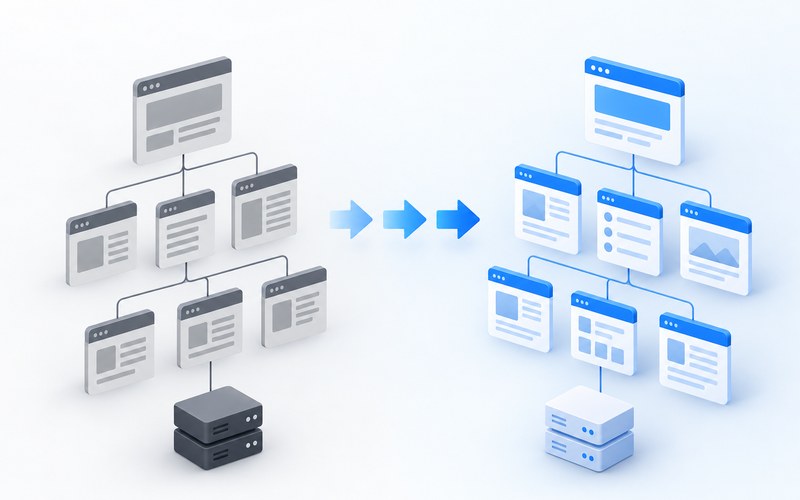
Step Two: Map Old Addresses to New Ones One to One
A 301 redirect declares a permanent move, and ranking signals travel along it. Product page to product page, category page to category page. Pointing every old address at the homepage is the lazy version and the expensive one. Search engines treat that pattern as a soft 404 and the signal is wasted.
Avoid redirect chains as well. An old address should land on its final page in a single hop. Every extra hop shaves the transferred signal.
Step Three: Carry Titles and Descriptions Over Page by Page
Rewriting every title and description during a redesign wipes out years of accumulated keywords and product model names. Compare page by page, keep the core terms, and leave the sentences describing parameters and use cases in place. If the topic of a page shifts, check the trust material the buyer sees too. The three layers of trust material buyers look for are listed in this piece on trust material.
Step Four: Move Internal Links and Technical Files to the New Structure
Main navigation, breadcrumbs and recommendation slots all point at the new addresses. Regenerate the sitemap, check robots, and set canonical tags to the production domain. Keep the old domain resolving for at least half a year before releasing it.
Step Five: Test the Staging Site Like It Is Live
Preview environments need a password or a sitewide noindex tag so search engines never index test addresses. Before the switch, request the twenty highest traffic old addresses one by one and confirm each lands on the right page with a 200 response. Forms and inquiry entries get the same treatment. Losing inquiries quietly after a redesign hurts more than losing rankings.
Step Six: Watch the Data for Ninety Days After Launch
Submit the new sitemap to the search consoles on launch day and keep the old sitemap alive for a few weeks. Track three numbers weekly: 404 count, indexed pages and rankings for core terms. A keyword wobbling for a week or two is normal. One that drops and stays down for a month usually means a redirect or a content problem, and the mapping sheet is where the answer sits. Ongoing Google SEO work turns this monitoring into a routine.
A redesign is not a demolition permit. Keep addresses where the structure allows, keep pages that still work, and change as little as possible. After the migration, the keyword side can keep growing. The five steps for building a keyword list from real inquiries are covered in this keyword research piece, which picks up where the migration ends.
Related Q&A
How long should 301 redirects stay in place
At least a year, longer if possible. Transferring trust from old addresses takes months, and removing the redirects early cuts the bridge midway.
Does a redesign require changing URLs
No. Where the new structure allows it, keep addresses unchanged. Every changed address carries the cost and risk of a redirect. If the current structure does not hurt indexing or experience, leave the addresses alone.
How long does ranking recovery take after a redesign
Most pages settle within a few weeks. A drop past half, or no sign of recovery after a month, points to redirects or content changes. Check the 404s and the mapping sheet before waiting it out.