
On most Google SEO checklists, images sit near the bottom or miss the list entirely. On a real export website, images often take up seventy percent or more of page weight, and the Google Images entry point keeps getting underrated as a traffic source. Converting a few JPGs to WebP and calling it image optimization is a common misunderstanding. Four steps, in order, each with concrete actions.
Step One: Sort Images First, Then Write Alt Text
Sort into three groups. Informative images get an alt text of one sentence describing what the picture shows, with the product name worked in naturally; a string of keywords reads as spam. Decorative images get empty alt so screen readers and crawlers skip them. Images acting as buttons describe the action, such as download the ball valve catalog. Write each alt individually; the same sentence across a whole site means nothing. On multilingual pages, alt follows the page language, English page gets English alt. Alt is not the only free fix on a page; site structure matters just as much, and the three internal linking rules cover that ground.
Step Two: File Names and Format Together
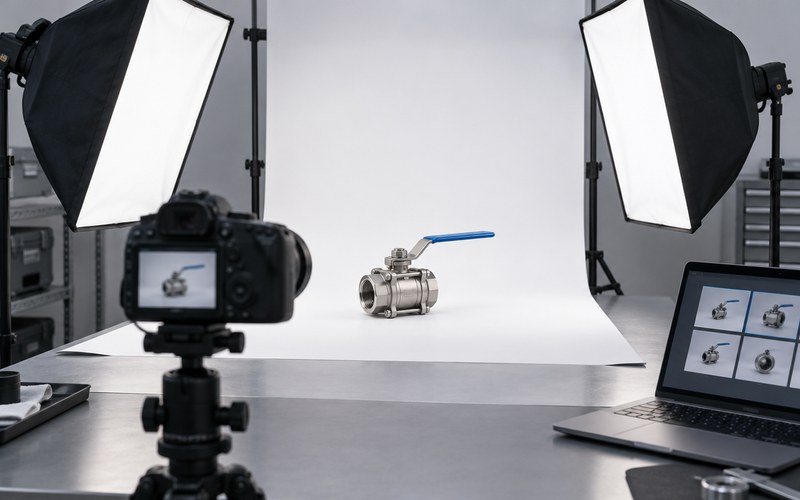
Rename IMG_2034.jpg to something like stainless-steel-ball-valve-dn50 before uploading; the file name is the first clue a crawler reads. On format, WebP runs two to three tenths smaller than JPG at the same quality, and all major browsers now support it. Output at the width the page actually shows: if the layout displays 800 pixels, upload 800 pixels, a 4000-pixel original only burns buyer bandwidth. For one product shot from several angles, give each angle its own file name instead of sharing one.
Step Three: Loading Settings That Do Not Drag
The hero image above the fold should not use lazy loading; it decides LCP, and delaying it slows the largest paint directly. Below the fold, lazy load as needed. Declare width and height on every image so the page does not jump while loading and CLS stays stable. One rule gets missed regularly: a CSS background image is not treated as an indexable image, so product photos must use a standard img tag. Keep key facts, specifications, certificate numbers, as real text on the page; neither search engines nor AI tools can read words inside a picture. The speed side of this is covered in the three speed traps under mobile-first indexing.
Step Four: Review With Real Data
Open the Search Console performance report and switch to the image search tab. High impressions with low clicks usually point at an unappealing thumbnail; swapping the main shot does more than rewriting alt. If images struggle to get indexed, add image URLs to the sitemap. Once images are done, the text layer above them still needs attention; five rules and three bad examples explains how page titles and descriptions should be written.
Related Q&A
Does empty alt text hurt image indexing
Empty alt is only for decoration. A product photo with empty alt gives up a clue Google could use to understand it, so indexing and accessibility both suffer, all to save one sentence of writing.
What is the risk of reusing supplier photos
The same batch may sit on hundreds of sites, Google treats it as duplicate and holds back traffic, and any watermark or logo inside the image raises infringement trouble. Shoot your own; a phone plus a white board beats a photo that looks identical everywhere else.
With many images, will the page get slow
Not if lazy loading and compression are in place. What actually drags speed is the uncompressed original and the oversized hero image, so check those two first and consider a CDN only for image-heavy sites.